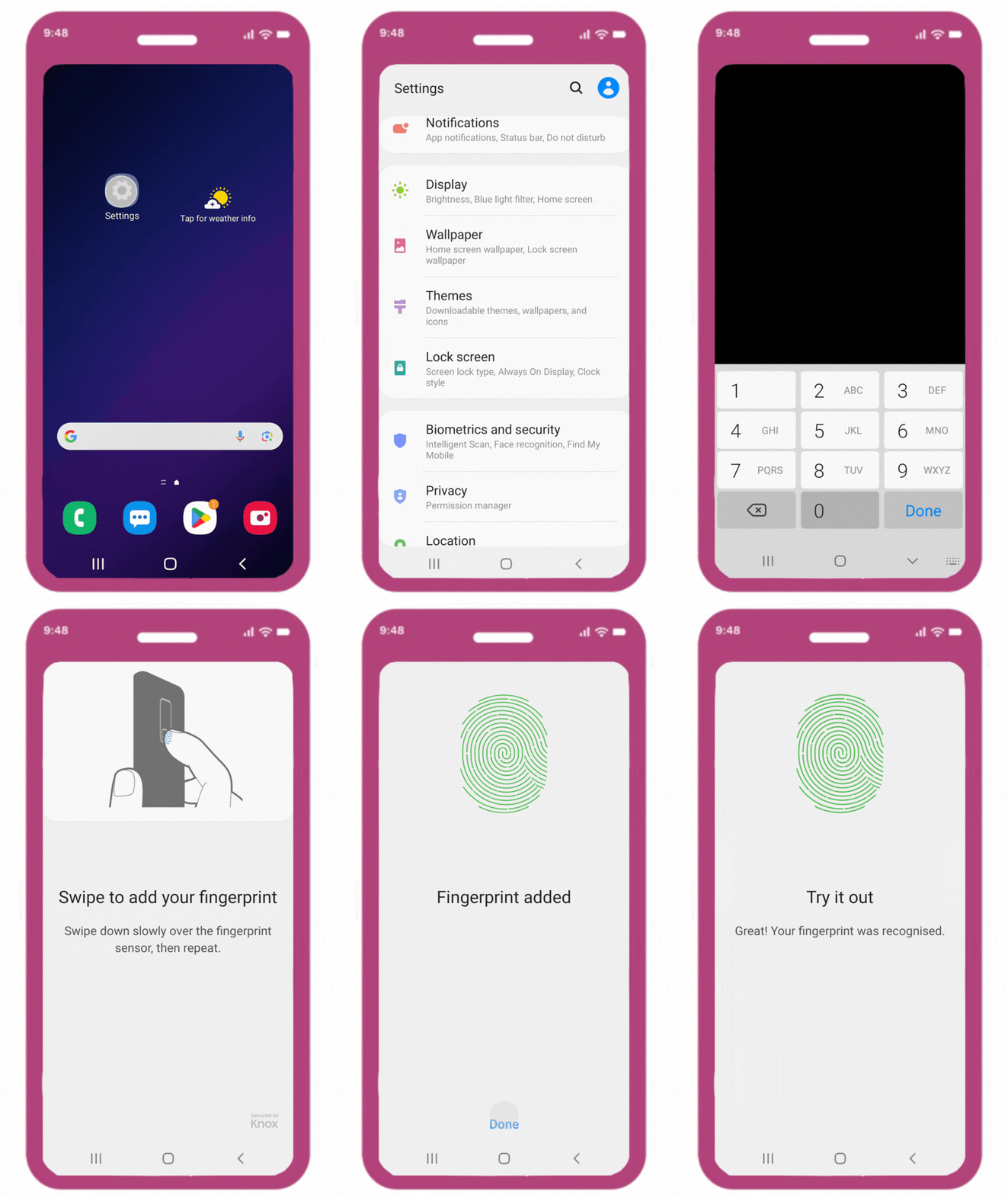
Biometrics is a security feature that uses your unique physical characteristics — such as your face or fingerprint — to verify your identity in the ZealiD app. You can enable it through your phone's settings.
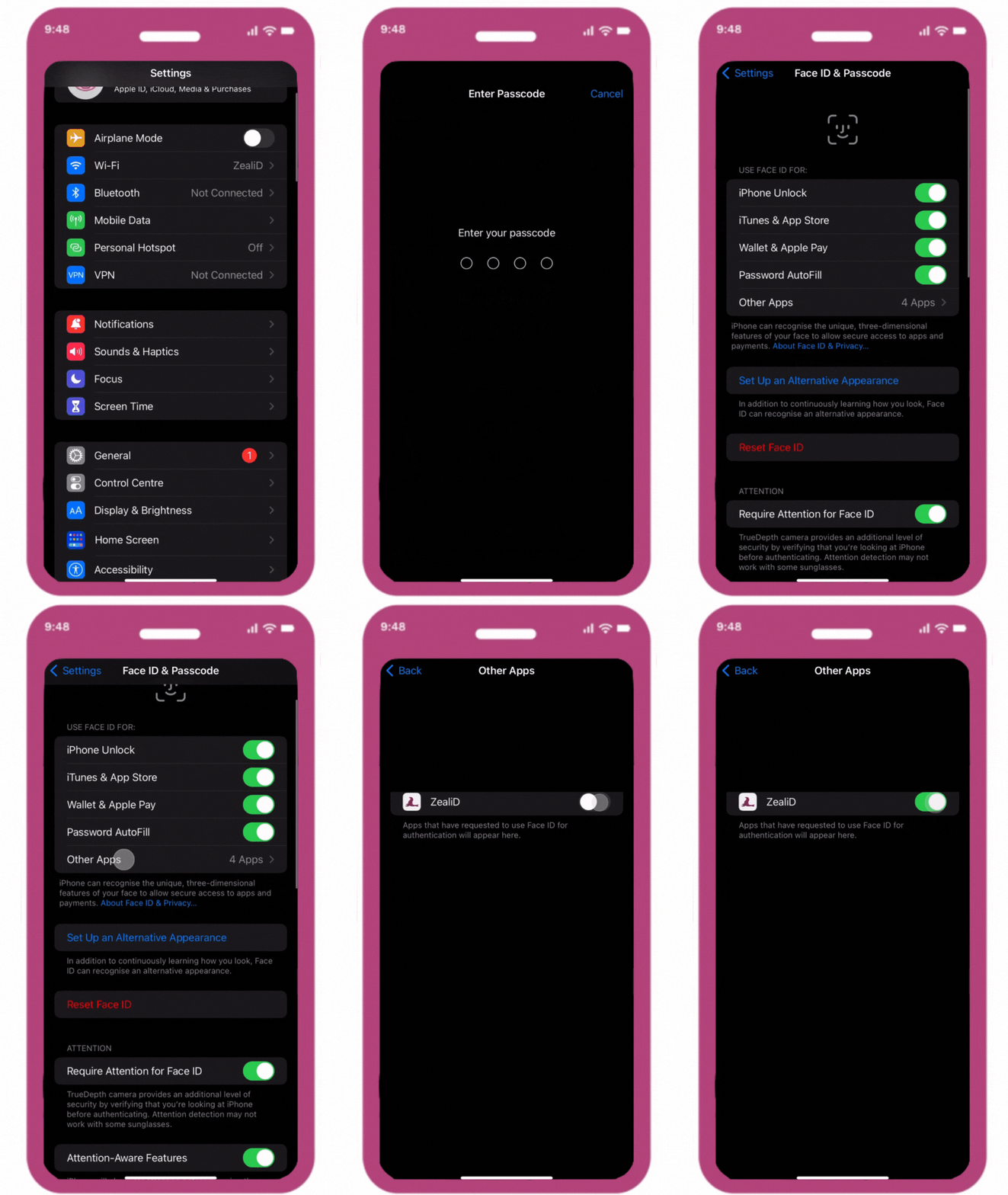
For iOS users - go to Settings and choose Touch ID & Face ID and Passcode. Once Touch ID & Face ID is set up, scroll down to Other Apps and toggle on ZealiD to enable biometric authentication.
For Android users – go to Settings and press Biometrics and Safety. To enable biometrics, follow the on-screen prompts to scan your face or fingerprint. Once set up, open the ZealiD app and enable biometric authentication in the app settings.