
During the registration process, a user might be asked to film their identity document. These occasions include:
- User’s identity document doesn’t have NFC,
- User scanned NFC, but data upload or validation was interrupted or unsuccessful,
- User skipped NFC scanning;
- User’s device doesn't support NFC.
The app assigns a random pattern to film on an ID document. A user films a single side (biodata page of a passport) or both sides of the document (front and back of ID card or residence permit).
|
Passport: Biodata page
|
ID Card: Front
|
Residence Permit: Front
|
|
ID Card: Back
|
Residence Permit: Back
|
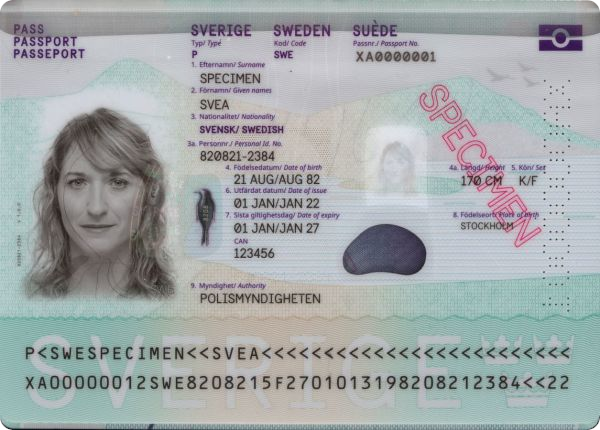
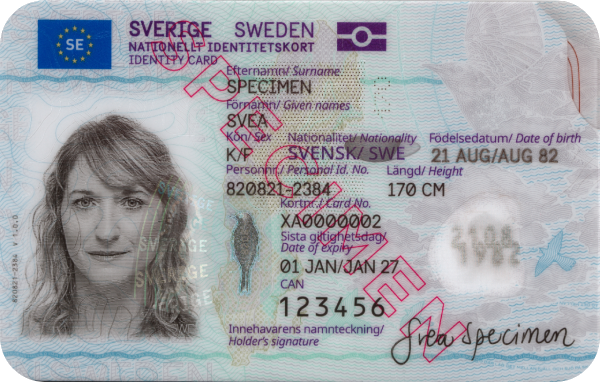
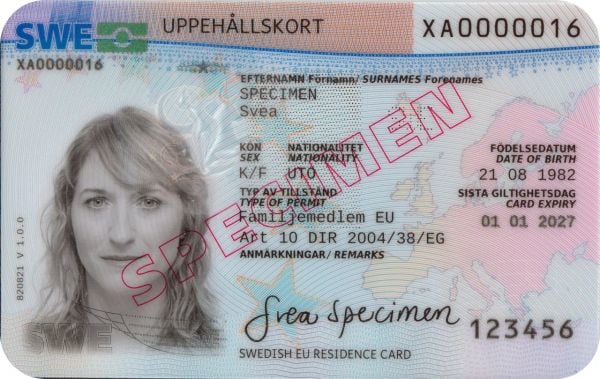
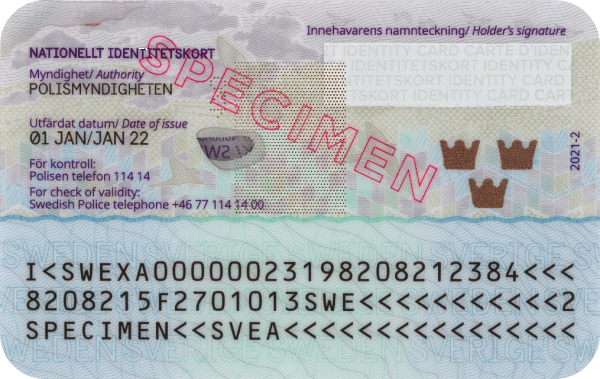
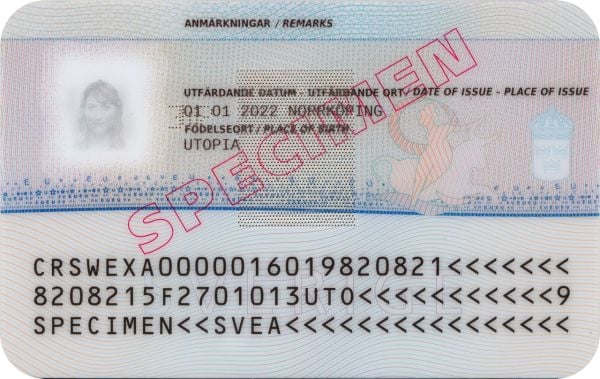
Film the video as indicated in the application: place your identity document on a flat surface, hold your phone approximately 15 cm above the document, and repeat the shown pattern by moving the hand holding the smartphone. To ensure good lighting, the flash of the camera will turn on automatically.
Filming instructions in the ZealiD mobile app for ID card or Residence Permit:
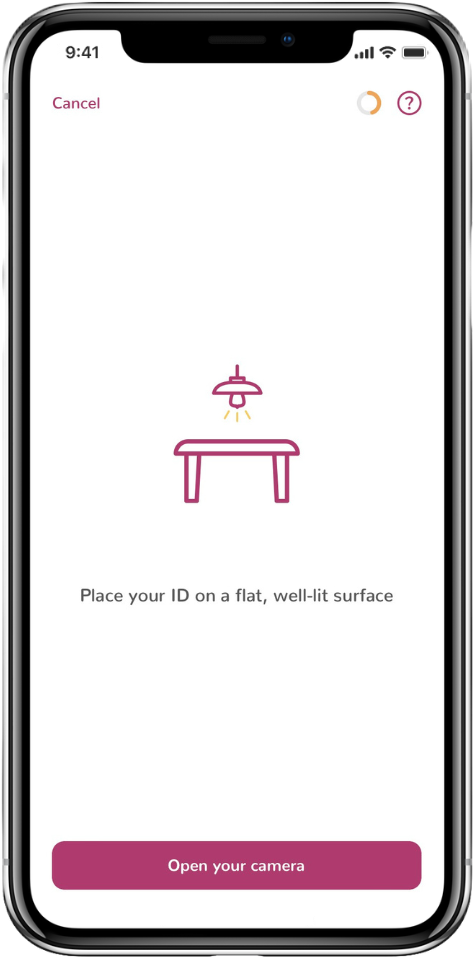 |
Put the ID on a flat surface and ensure good lighting.
|
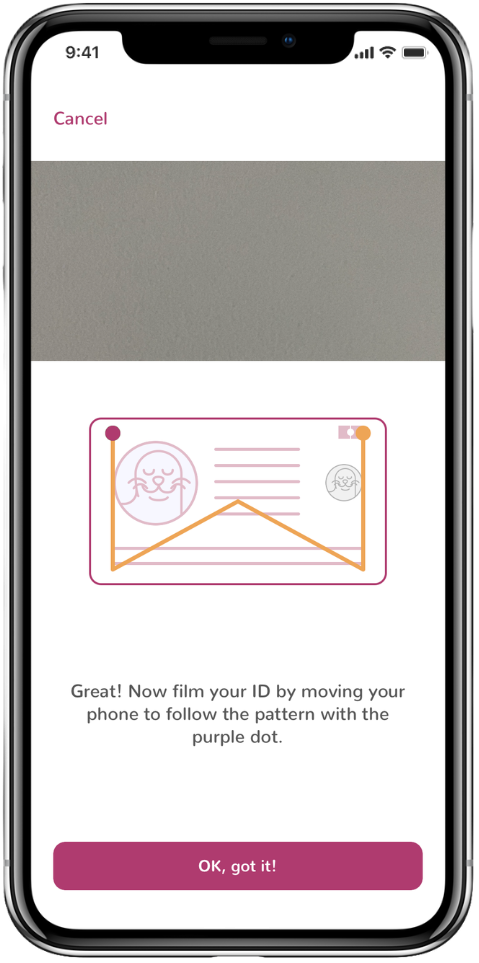 |

A pattern is assigned. Watch the animation and repeat the pattern while filming the front side of your ID. |
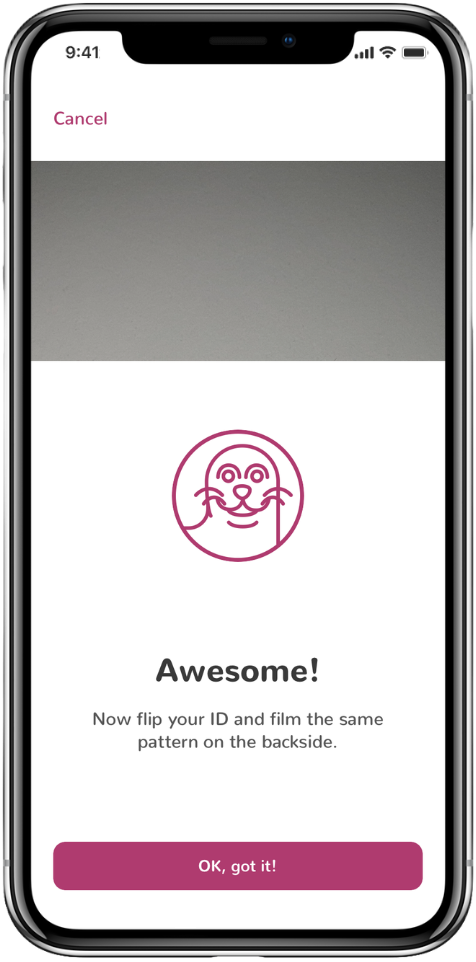 |
When filming of the front side of your ID is complete, click "Finish". The app will tell you to flip the ID card and prepare to film the backside. |
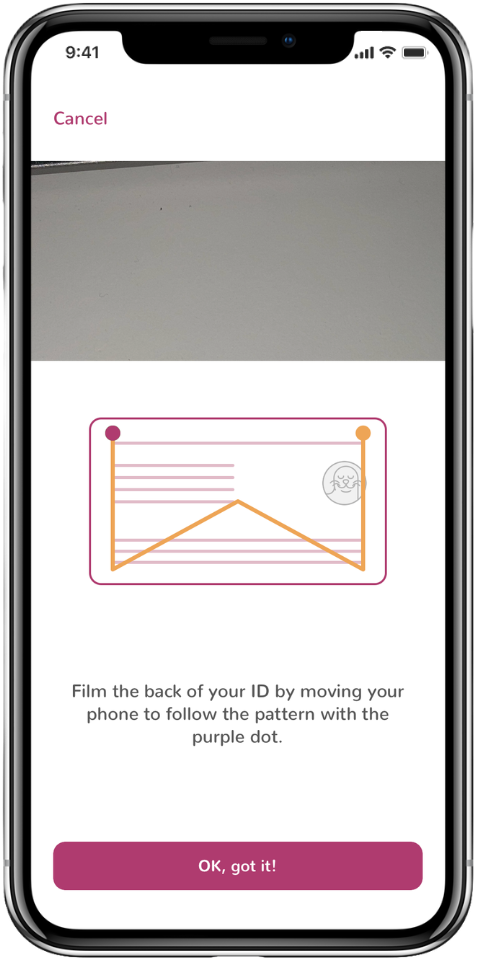 |
A pattern is assigned. Watch the animation and repeat the pattern while filming the back side of your ID. Click "Finish" when completed. |


Demo of the video filming step:
ID document source:
https://www.consilium.europa.eu/prado/en/prado-documents/SWE/index.html